
Build AI inference on Mobilint NPUs#
SDK qb gives developers, engineers, and researchers the building blocks to set up Mobilint’s NPU and run AI inference on supported hardware — from a desktop prototype to an embedded AI system.
Tip
qb Runtime v1.3.1 released — 16-bit integer support, plus stability and performance improvements. See the release notes.
What is SDK qb?#
SDK qb is Mobilint’s software development kit designed to enable efficient and optimized utilization of Mobilint’s Neural Processing Unit (NPU). It is composed of three proprietary modules that bring out the full performance of Mobilint’s NPU products and enable seamless integration in deployment processes.
Driver: The bridge between software and hardware.
qb Runtime: Convenient and fast inference using internal optimized logic.
qb Compiler: Translates deep learning models into Mobilint’s executable format, MXQ.
These modules are available in flexible combinations depending on the form factor and core NPU involved.
Technical Overview#
The following diagrams show how SDK qb’s components work within the target application and device.
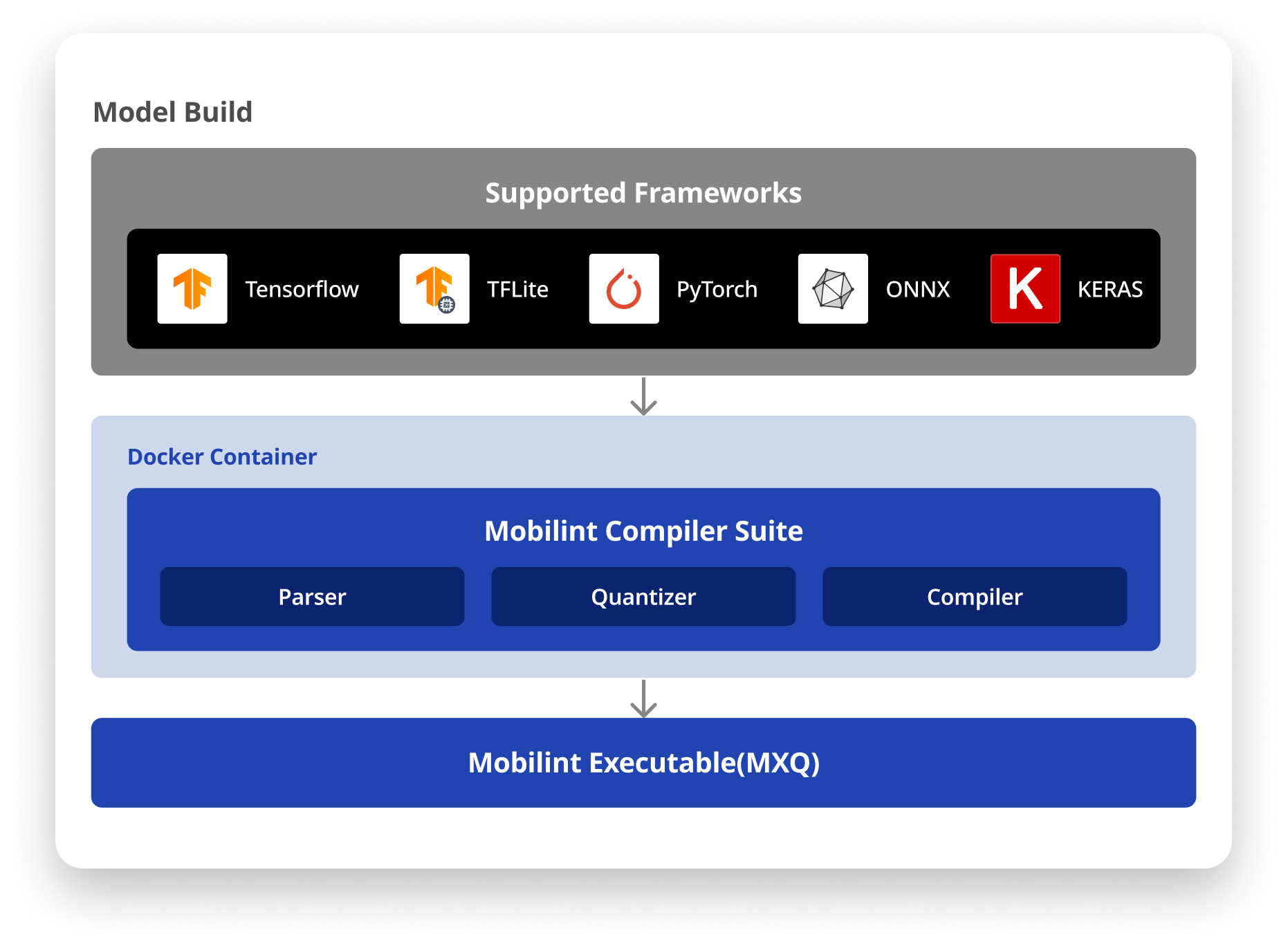
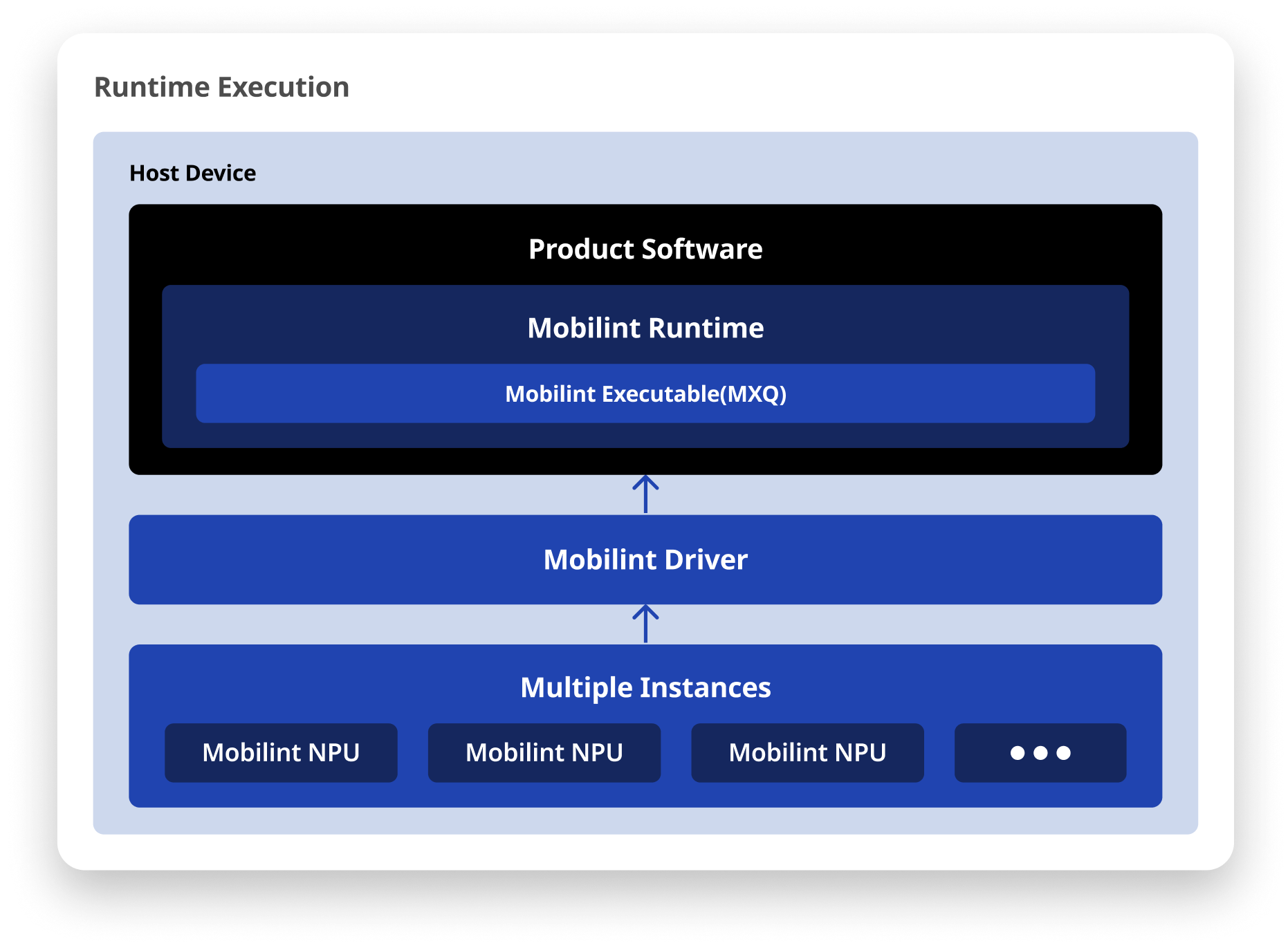
SDK qb supports both Linux and Windows OS for easier system integration. It is compatible with major deep learning frameworks such as TensorFlow, TFLite, ONNX, KERAS, and PyTorch. The runtime library provides interfaces in both C++ and Python.
Mobilint Model Zoo#
Mobilint provides a growing Model Zoo of open-source models precompiled with Mobilint’s qb compiler. These .mxq (Mobilint eXeCUtable) files are optimized for Mobilint’s runtime and can be deployed immediately on supported NPU hardware. New models are added regularly to support evolving AI workloads and customer requests.
400+ pre-compiled models: Computer vision, natural language processing, and multimodal AI models ready to run as
.mxq.
Get Started#
Go from installing the product to maximizing its performance with advanced functions.
Tip
Have questions or need custom deployment support? Contact us at https://discuss.mobilint.com.