
Runtime Library Installation#
This section explains how to install the Mobilint NPU qb Runtime which is required to run inference on Mobilint NPUs using precompiled or custom models.
Attention
For ARIES devices, complete driver installation before proceeding. Please check ARIES manual driver installation documentation. REGULUS ships with the driver and runtime pre-installed.
Check compatible driver and firmware versions in the ARIES compatibility guide; for runtime–MXQ compatibility, see Checking Compatibility.
Table of Contents#
Linux
Windows
Common to Windows and Linux
Linux#
Option 1: Installing via APT on Debian-based OS#
This method installs the runtime system-wide using Debian-based OS’s package manager apt.
Installation Process#
Add the Mobilint APT repository to your system before proceeding with the installation.
Tip
If you’ve already added the Mobilint APT repository during driver installation, you can skip this step.
# Add Mobilint's official GPG key:
sudo apt update
sudo apt install ca-certificates curl
sudo install -m 0755 -d /etc/apt/keyrings
sudo curl -fsSL https://dl.mobilint.com/apt/gpg.pub -o /etc/apt/keyrings/mblt.asc
sudo chmod a+r /etc/apt/keyrings/mblt.asc

# Add the repository to apt sources:
printf "%s\n" \
    "deb [signed-by=/etc/apt/keyrings/mblt.asc] https://dl.mobilint.com/apt \
    stable multiverse" | \
    sudo tee /etc/apt/sources.list.d/mobilint.list > /dev/null

# Update available packages
sudo apt update
Install via apt package manager.
sudo apt install mobilint-qb-runtime
Verify installation.
dpkg -L mobilint-qb-runtime
Troubleshooting Anaconda Error#
If you are using anaconda virtual environment, you can get error message like below.
../lib/libstdc++.so.6: version `GLIBCXX_3.4.32' not found
This issue is caused by the version confliction of libstdc++ bundled with Anaconda, and the appropriate solution may vary depending on the Anaconda version. We recommend searching online for the most suitable fix.
Additionally, to prevent such conflicts, it is recommended to use Python’s built-in virtual environment (venv), which utilizes the system’s libstdc++ library.
Option 2: Installing via DNF on RedHat-based OS#
This method installs the runtime system-wide using RedHat-based OS’s package manager dnf. The packages are built against glibc 2.28 (EL8) and support RHEL, Rocky Linux on both x86_64 and aarch64 architectures.
Note
The Mobilint DNF repository provides the NPU driver package (mobilint-aries-driver) in addition to mobilint-qb-runtime and mobilint-cli. To install the NPU driver on RedHat-based OS, refer to the DNF installation method on the Driver Installation page of the ARIES manual.
Installation Process#
Add the Mobilint DNF repository to your system before proceeding with the installation.
# Register the repository
sudo curl -fsSL https://dl.mobilint.com/dnf/mobilint.repo \
     -o /etc/yum.repos.d/mobilint.repo
Install via dnf package manager.
# Install the runtime library
sudo dnf install mobilint-qb-runtime

# (Optional) Install the Mobilint CLI utility
sudo dnf install mobilint-cli
Note
On the first installation,
dnfasks for confirmation before importing Mobilint’s GPG signing key. Check that the output below, then please answery.Importing GPG key 0x________: Userid : "Mobilint_RPM (gpg key for dnf - RSA key.) <infra@mobilint.com>" Fingerprint: From : https://dl.mobilint.com/dnf/gpg.pub Is this ok [y/N]: y
Verify installation.
rpm -ql mobilint-qb-runtime
Option 3: Manual Installation from Download Center#
Requirements#
Download the appropriate runtime library from Mobilint’s official Download Center.
Installation Process#
Unzip the downloaded runtime library file.
{RUNTIME_VERSION}corresponding to your runtime library version.tar -xvzf qb-runtime_aries2-v4_v{RUNTIME_VERSION}.tar.gz
You should see a directory structure like this:
qb-runtime_aries2-v4_v{RUNTIME_VERSION}
├── Makefile
├── qbruntime
│   ├── qbruntime
│   │ ├── include    # include path
│   │ │   └── qbruntime
│   │ ├── lib        # library path
│   │ └── python
│   └── resnet50
└── mobilint-cli
There are two options from here: System-wide installation, or using without installing.
Option 3-1: System-Wide Installation#
Install the runtime library system-wide using the following commands.
cd qb-runtime_aries2-v4_v{RUNTIME_VERSION}
sudo make install
Option 3-2: Use Without Installation#
Specify the paths to qb-runtime_aries2-v4_v{RUNTIME_VERSION}/qbruntime/qbruntime/include and qb-runtime_aries2-v4_v{RUNTIME_VERSION}/qbruntime/qbruntime/lib during compilation as shown below:
g++ -o {output_binary} {source_code} -I{path_to_include} \
    -L{path_to_library} -lqbruntime
Then export environment variable LD_LIBRARY_PATH to let linker know runtime library(*.so) path.
export LD_LIBRARY_PATH={path_to_library}
Installing on Windows#
On Windows, the runtime library is distributed as an installer. The installer copies the runtime library and headers, installs the additional components you select, and registers the environment variables. If you only need the Python library, see Installing the Python Library with pip.
Note
The Windows installer is available starting from runtime library version 1.4.0.
Installing with the Installer#
Requirements#
Download the Windows installer
mobilint-qb-runtime-sdk_v{RUNTIME_VERSION}_setup.exefrom Mobilint’s official Download Center.{RUNTIME_VERSION}corresponds to your runtime library version.
Installation Process#
Run the downloaded installer and choose the installation directory. The default is
C:\Users\{user}\AppData\Local\Programs\mobilint-qb-runtime-sdk; click Browse to change it.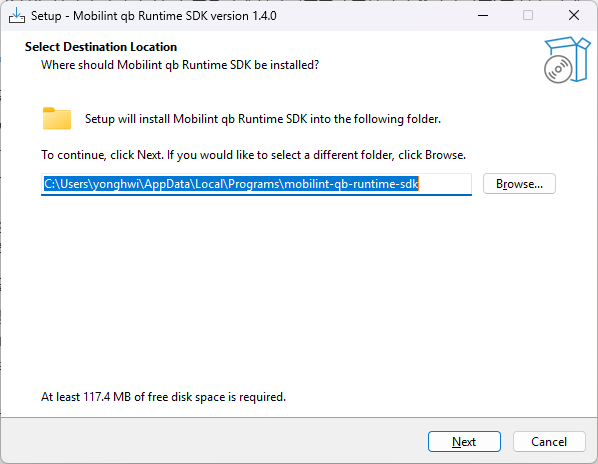
Select the additional tasks to perform during installation. All three options below are selected by default; leave them as they are unless you have a reason to change them.
Task
Description
Install
mobilint-cliutilitiesInstalls the command-line utility for checking NPU status, running benchmarks, and inspecting MXQ files. See Utility Usage for details.
Set
qbruntime_DIRenvironment variableRegisters the path so that CMake
find_packagecan locate the runtime library. See Compiling C++ code - CMake.Add
binfolder toPATHMakes
mobilint-cliandqbruntime.dlldiscoverable without specifying a path.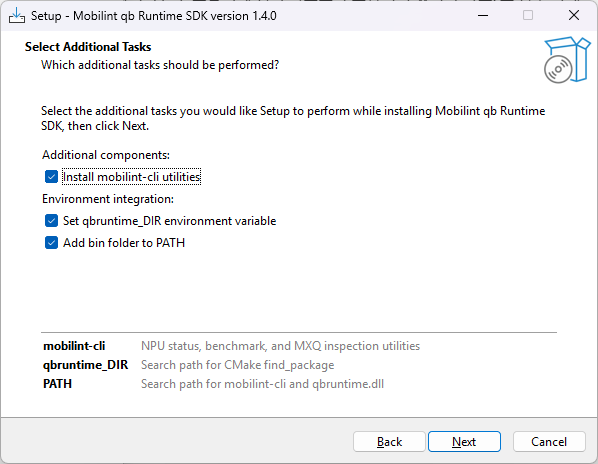
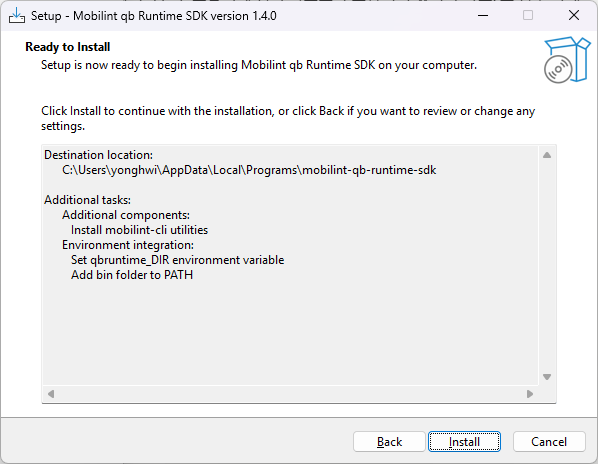
Review the destination and the additional tasks on the summary screen, then click Install.
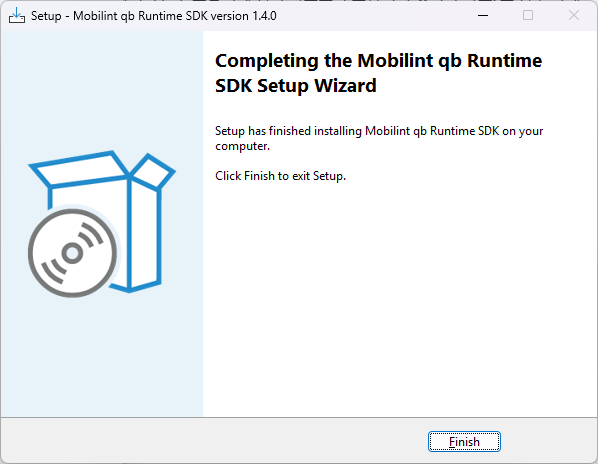
The wizard reports the completed installation. Click Finish to close the installer.
Note
Environment variable changes do not apply to terminals that are already open. Open a new terminal after installation.
To use the installed library from a Visual Studio project, see Compiling C++ code - Windows; from a CMake project, see Compiling C++ code - CMake.
Uninstalling#
You can uninstall the runtime in two ways.
From the Control Panel: Select
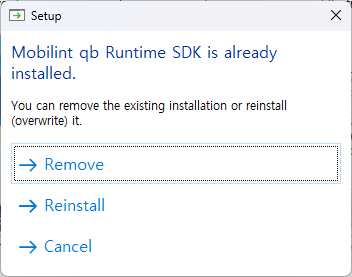
Mobilint qb Runtime SDKin Programs and Features, or in Apps > Installed apps in Windows Settings, and remove it.By running the installer again: Running the downloaded installer again opens the dialog below for handling the existing installation. Choose Remove to delete the installed files, or Reinstall to overwrite the existing installation.
Common to Windows and Linux#
Installing the Python Library with pip#
The Python library can be installed with pip on both Windows and Linux.
pip install mobilint-qb-runtime
Wheels are provided for Windows x86-64 and for Linux x86-64/aarch64. 32-bit environments are not supported.
Note
The Linux wheel uses the manylinux_x_y platform tag, which requires pip 20.3 or later. If pip cannot find the package even on a supported Python version (3.8–3.14), check your pip version and upgrade it if needed:
pip install --upgrade pip