Checking Compatibility#
This document provides compatibility information for the software products offered by Mobilint. When configuring or updating the system, you must refer to the table below to ensure that compatible versions are used. Using incompatible combinations may result in unexpected behavior or system errors, and normal operation cannot be guaranteed.
Linux/Ubuntu#
Driver-Runtime-Firmware Compatibility#
Driver Ver. |
Runtime Ver. |
Firmware Ver. |
|---|---|---|
1.0 ~ 1.10 |
0.28.0 ~ 0.30.1 |
1.1.1 ~ latest |
1.11 ~ latest |
1.0.0 ~ latest |
1.1.1 ~ latest |
Windows#
Driver-Runtime-Firmware Compatibility#
Driver Ver. |
Runtime Ver. |
Firmware Ver. |
|---|---|---|
1.6.230 |
0.28.0 ~ 0.30.0 |
1.1.1 ~ latest |
1.7.1 ~ 1.7.5 |
0.30.1 ~ 0.30.1 |
1.1.1 ~ latest |
1.8.0 ~ latest |
1.0.0 ~ latest |
1.1.1 ~ latest |
How to check the version#
Runtime Library#
If you downloaded the runtime library from the official Download Center, the version information is typically available at the time of download.
Alternatively, you can print out version via runtime provided method :
std::cout << mobilint::getQbRuntimeVersion() << "\n";
print(qbruntime.__version__)
Driver, Firmware#
You can check both driver and firmware versions using utility tool. For utility installation instructions, see the Runtime manual.
Linux/Ubuntu
In Linux/Ubuntu environments, you can use utility
mobilint-clito check driver and firmware versions.Run the following command:
mobilint-cli statusDriver and firmware versions will appear in red box section of the output, as shown below.
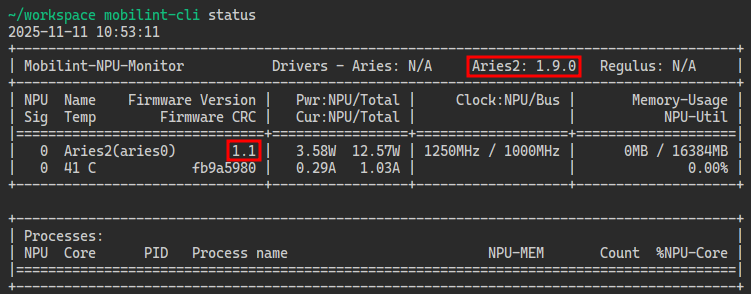
Windows/Linux
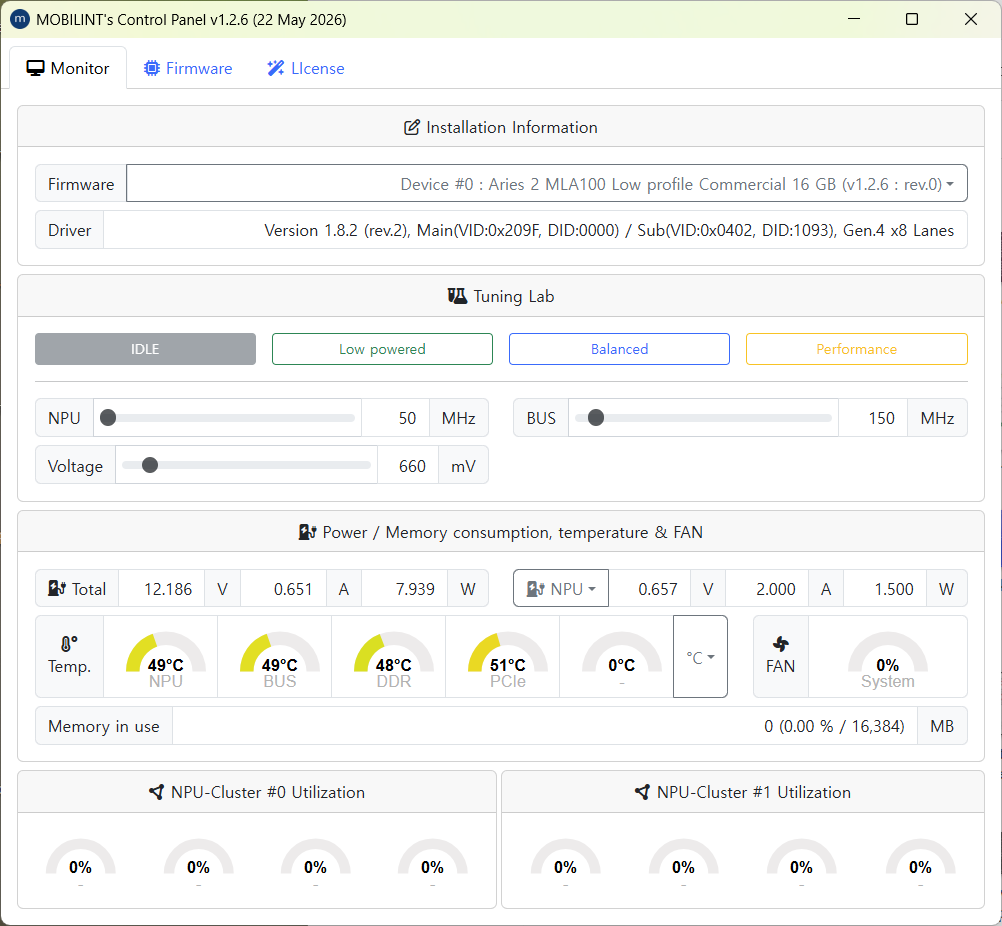
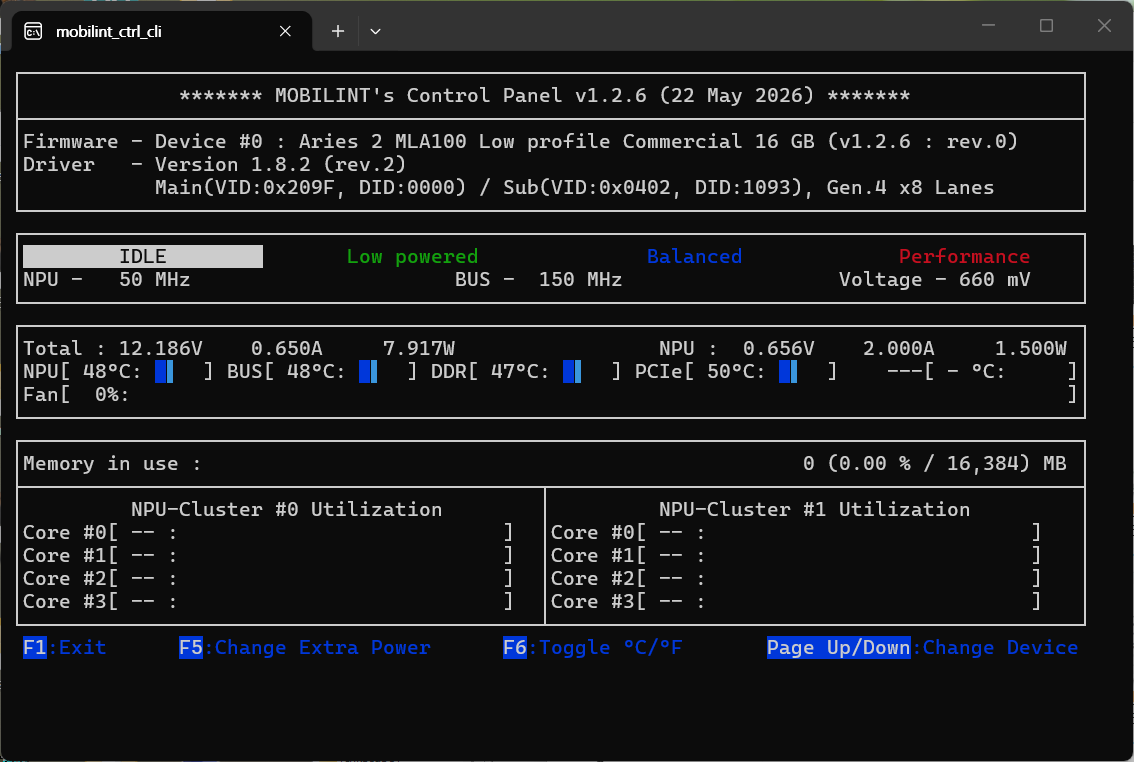
In both Windows and Linux environments, you can check driver and firmware versions using the
mobilint_ctrl(GUI) ormobilint_ctrl_cli(CLI) utilities.After installing utilities (described in the Runtime manual), run the
mobilint_ctrlormobilint_ctrl_cli.