Llama Models from HuggingFace#
Introduction#
As generative AI models are developed, large language models(LLMs) have become a part of our daily life. Therefore, people, these days have experience using at least one of the models such as ChatGPT, Llama, Gemini, Qwen, Mistral, Exaone, DeepSeek, Claude, Clova, Grok, etc..
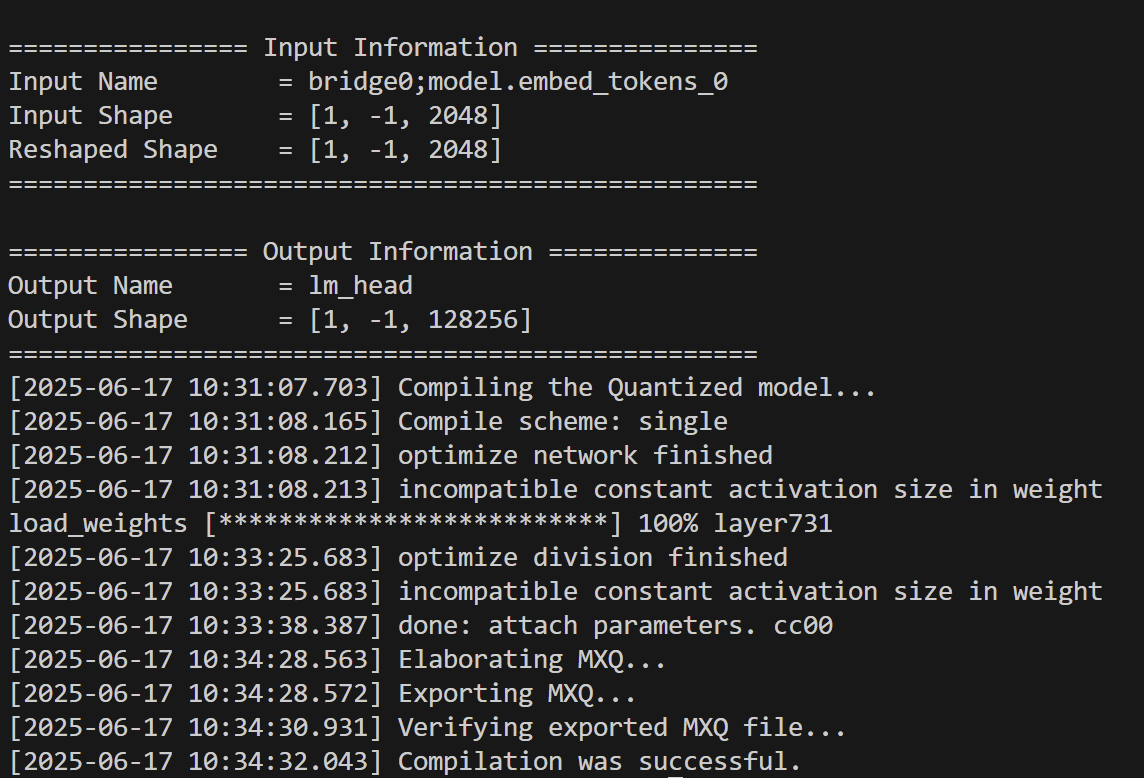
To keep up this trend, the qbcompiler has been updated to compile LLMs and made it to run LLM on our edge device. In this section, we will learn how to compile LLM for our device using Meta’s Llama, version 3.2 of size 1B, instruction-tuned model.
Model Preparation#
In recent days, LLMs have been published through HuggingFace, a leading platform for sharing AI models. Therefore, we assumed that users prepare their LLM in the form of the HuggingFace’s transformers saving format.
HuggingFace’s transformers model can be prepared as follows.
HuggingFace Authentication#
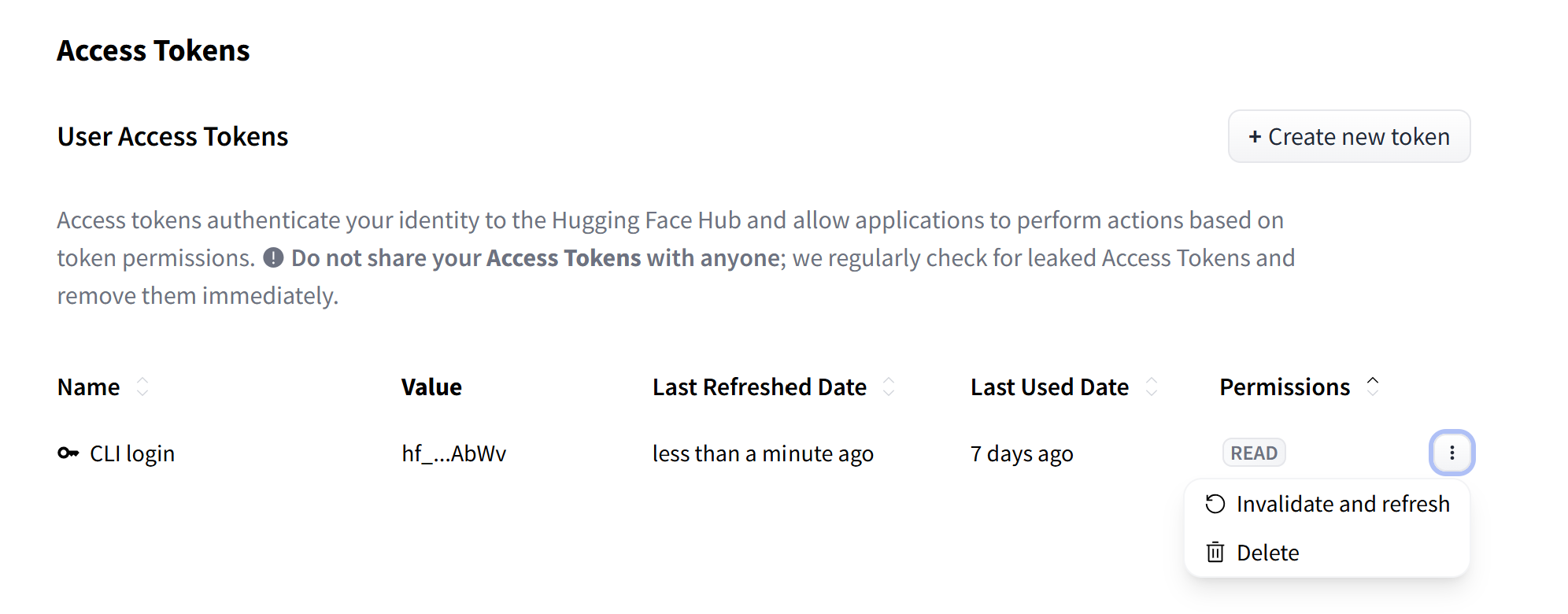
First, before downloading the model, visit the Huggingface website and create an account. Then, open the sidebar to visit the access token management page.
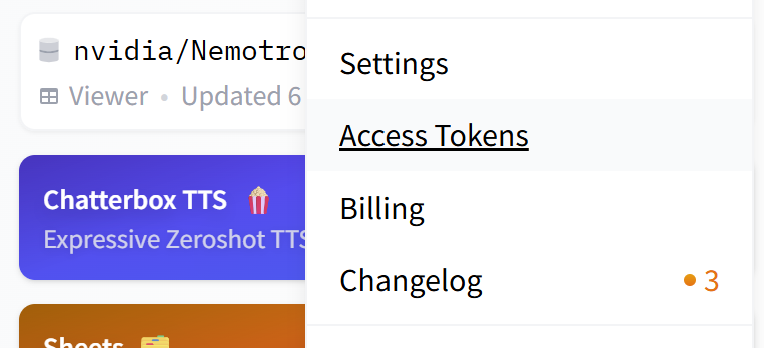
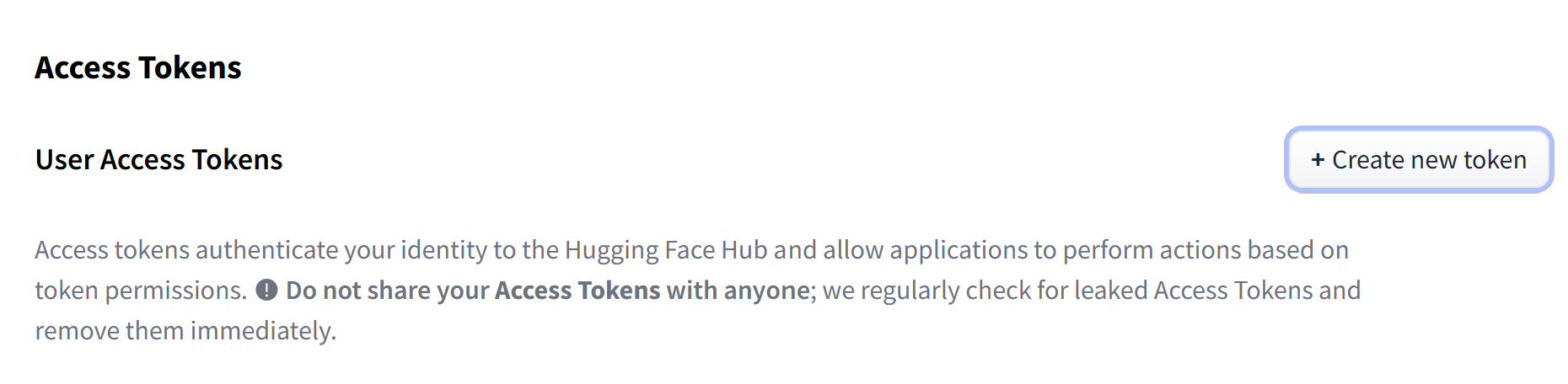
On the management page, create a new token if the token is not prepared. To download the model, creating a “read token” without an extra parameter setting is enough.
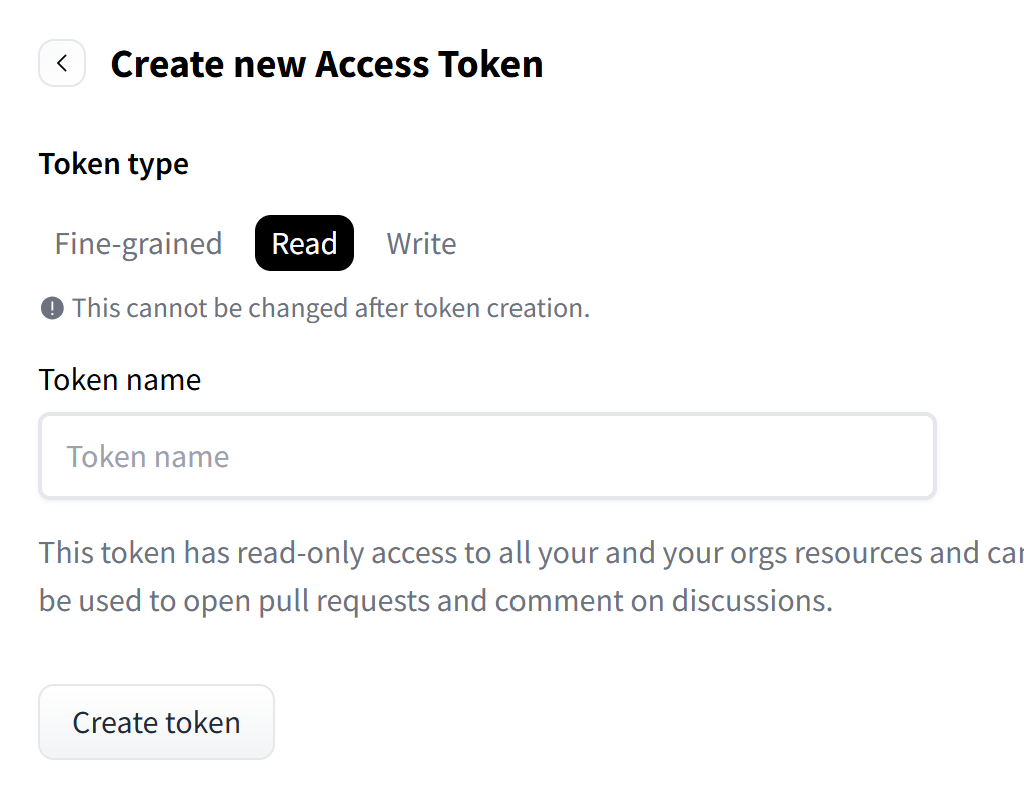
After creating the token, copy it to login HuggingFace CLI on the terminal.
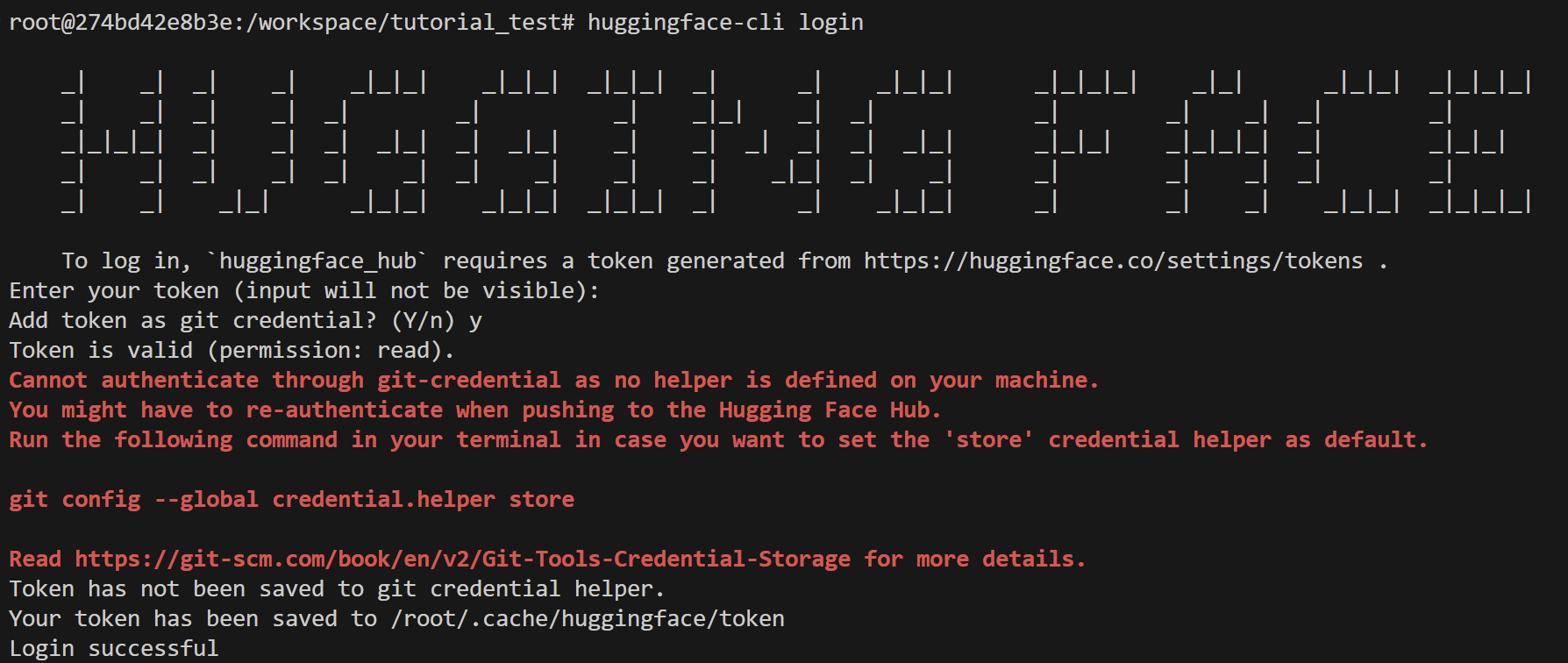
On terminal, validating access can be made by using the following command
huggingface-cli login
It is recommended to answer yes to the question about git credentials. If you see the warning as the following, follow the displayed instructions and repeat the validation process.
Model Download#
To download the model, we need to install Git LFS, a tool for dealing with large files with Git. It can be installed with the following commands.
apt-get update
apt-get install git-lfs
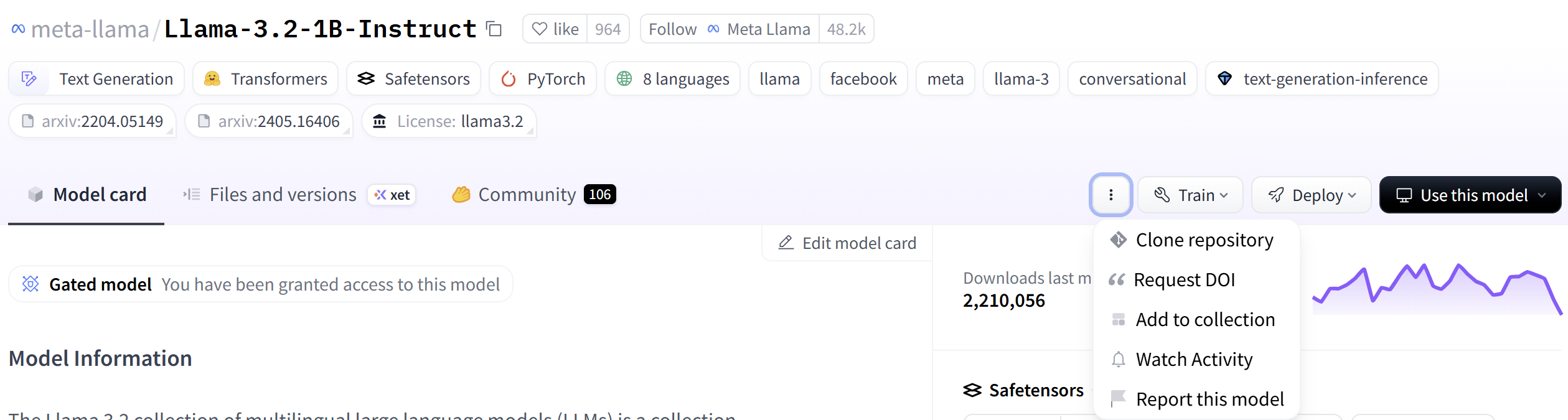
Now, go to Llama-3.2-1B-Instruct page, and fill out the form if needed. By following the instructions on the “clone repository” tab, download the model on the local environment.
Calibration Dataset#
To enhance the performance of LLMs on Mobilint’s NPU, we separated the initial embedding operation from the model. Therefore, when compiling LLMs, we need embedded tensors, not just tokenized tensors.
Thus, we have extra work related to embedding outside of the NPU for calibration. Unfortunately, the current version of the qbcompiler is not equipped with this function, but it will be updated soon.
Get Embedding Weight#
The first thing to do is to extract the embedding weight from the model. Models distributed as transformers architecture have the “get_input_embeddings” function, so we could get embedding weight using it. The following code will extract the embedding weight as the file name of “Llama-3.2-1B-instruct_embedding_weight.pt”.
from transformers import AutoModelForCausalLM
import torch

model_dir = "/workspace/Llama-3.2-1B-Instruct" # path where the model was downloaded
model = AutoModelForCausalLM.from_pretrained(
    model_dir,
)  # model
model.eval()

embedding_weight = model.get_input_embeddings().weight  # (vocab_size, dim) tensor

torch.save(embedding_weight, model_dir.split("/")[-1] + "_embedding_weight.pt")
Create Calibration Dataset#
Like the calibration datasets of the vision models, we need embedded tensors generated from the texts that are “similar” to the inputs that are used in the training of the model. To create a dataset, we often use Wikipedia dataset, which consists of a cleaned multilingual subset, officially distributed by the Wikimedia Foundation.
The following code is designed to tokenize and make embedded tensors for each Wikipedia document. It first tokenizes the document, and then makes the token tensor to the proper size. Then, it embeds the token tensor to make a calibration dataset. Users may create a calibration dataset of multilingual documents with this script. Also, users can control the min/max range of the calibration data sequence and the size of the dataset.
from transformers import AutoTokenizer
from datasets import load_dataset
import torch
import numpy as np
import os

os.environ["CUDA_VISIBLE_DEVICES"] = "0"  # set GPU device
model_dir_list = [  # tokenizer directories
    "/workspace/Llama-3.2-1B-Instruct",
]
embedding_dir_list = [  # corresponding embedding weight path
    "/workspace/Llama-3.2-1B-Instruct_embedding_weight.pt",
]

min_seqlen = 512  # sequence length minimum
max_seqlen = 2048  # sequence length maximum
max_calib = 512  # number of calibration

calib_dir = "/workspace"

for model_dir, embedding_dir in zip(model_dir_list, embedding_dir_list):
    tokenizer = AutoTokenizer.from_pretrained(
        model_dir,
        trust_remote_code=True,
    )  # tokenizer for model
    model_name = model_dir.split("/")[-1]

    subset_list = [ # subset for each language
        #"20231101.ko",
        "20231101.en",
        #"20231101.ja",
        #"20231101.zh",
        #"20231101.fr",
        #"20231101.de",
        #"20231101.es",
        #"20231101.ru",
    ]

    for subset_name in subset_list:
        lang = subset_name.split(".")[-1]
        dataset = load_dataset("wikimedia/wikipedia", subset_name, split="train")[
            "text"
        ]
        embedding_weight = torch.load(
            embedding_dir
        )  # (vocab_size, dim) embedding weight
        embedding_layer = torch.nn.Embedding.from_pretrained(embedding_weight).to(
            "cuda"
        )  # set embedding layer

        os.makedirs(
            os.path.join(calib_dir, f"{model_name}-Wikipedia-{lang}"), exist_ok=True
        )  # calibration save dir

        cur_num_calib = 0  # current number of calib
        for i, text in enumerate(dataset):
            print(f"Sentence {i}")
            token_ids = (
                tokenizer(text, return_tensors="pt")["input_ids"]
                .squeeze()
                .to("cuda")
            )
            print(token_ids.shape)
            if token_ids.ndim == 0:  # empty
                continue
            embedded_text = embedding_layer(token_ids)
            if embedded_text.ndim == 1:
                embedded_text = embedded_text.unsqueeze(0).unsqueeze(0)
            elif embedded_text.ndim == 2:
                embedded_text = embedded_text.unsqueeze(0)
            print(embedded_text.shape)

            if embedded_text.shape[1] < min_seqlen:
                continue
            elif embedded_text.shape[1] > max_seqlen:
                embedded_text = embedded_text[:, :max_seqlen, :]

            np.save(
                os.path.join(calib_dir, f"{model_name}-Wikipedia-{lang}/inputs_embeds_{cur_num_calib}.npy"),
                embedded_text.cpu().numpy(),
            )
            cur_num_calib += 1

            if cur_num_calib > max_calib - 1:
                break
Compiling Models#
When compiling LLMs with the HuggingFace framework, mxq_compile needs extra parameters. Users should set “weight_dtype” to be the same as the weight type of the original model, which can be checked on “config.json” in the original Huggingface model folder. In addition, it is recommended to use GPU on compilation due to the large number of operations in LLMs, however, the memory size of GPU should be large enough.
from qbcompiler import mxq_compile, get_llm_config

model_id = "meta-llama/Llama-3.2-1B-Instruct"
calib_path ="/workspace/Llama-3.2-1B-Instruct-Wikipedia-en" # folder of npy files
save_path = "./Llama-3.2-1B-Instruct.mxq"
hf_config = {
    "library": "transformers",
    "loader": "AutoModelForCausalLM",
    "tokenizer": "AutoTokenizer",
    "model_args": (),
    "model_kwargs": {
        "trust_remote_code": True,
    },
    "tokenizer_args": (),
    "tokenizer_kwargs": {},
}

# seqlen should be the same as cachelen on current version
llm_config = get_llm_config(
    llm_config_apply=True,
    max_sequence_length=4096,
    max_cache_length=4096,
    use_full_seq_length=True,
)

mxq_compile(
    model=model_id,
    calib_data_path=calib_path,
    save_path=save_path,
    backend="torch",
    quantization_output=0, # per layer quantization for the output layer
    hf_config=hf_config,
    use_gpu_only_for_calibration=True,  # decrease GPU memory usage
    weight_dtype="bfloat16",  # calibration weight data that should be same as dtype of the original model
    llm_config=llm_config,
    device="gpu" # using GPU is recommended
)