
Overview#
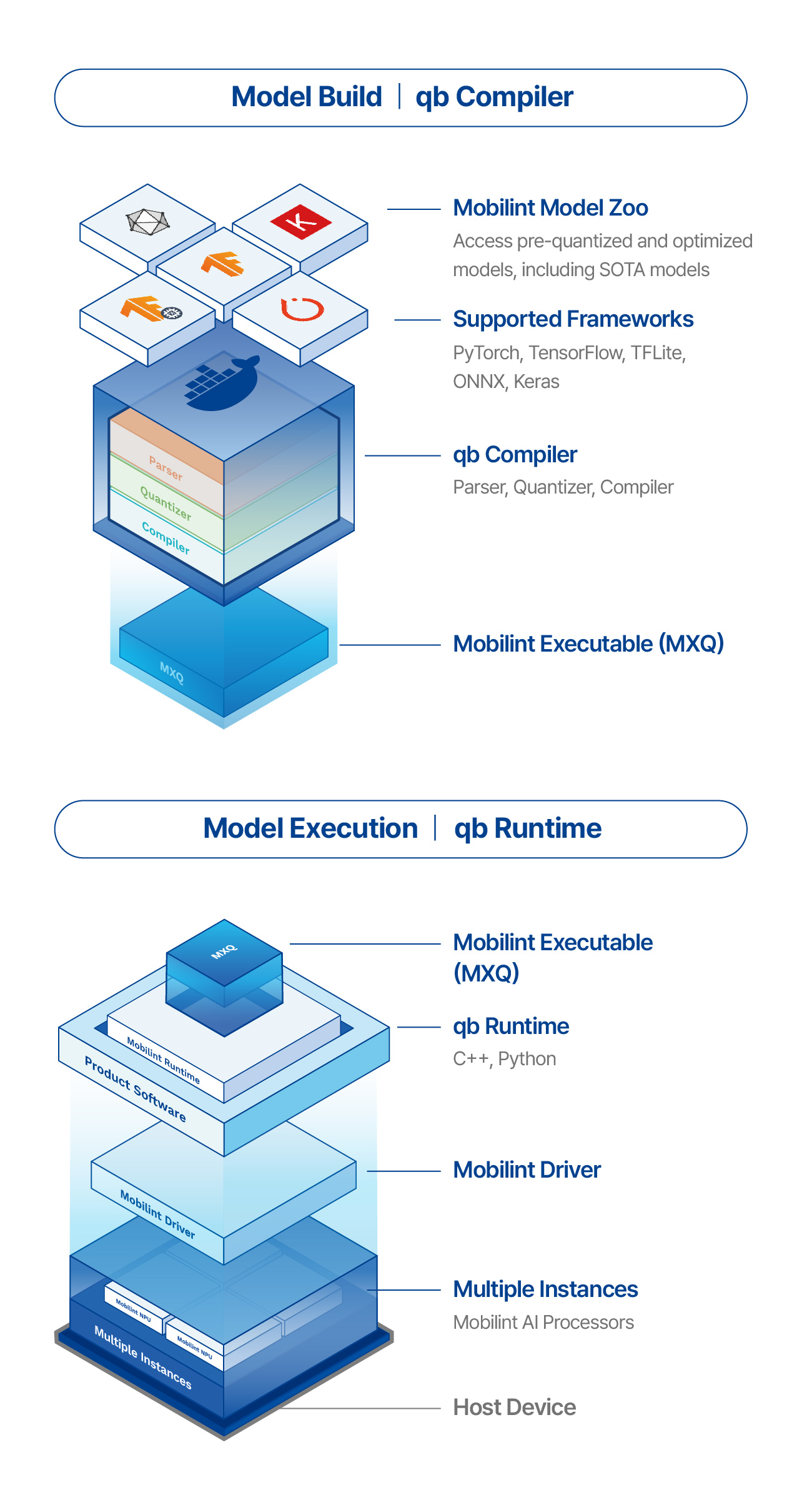
qb Compiler converts a trained original model into an MXQ artifact that can run on a Mobilint NPU. The original model can come from ONNX, PyTorch, HuggingFace transformers, TensorFlow, or TFLite.
The manual uses the same conversion path throughout:
Original model -> MBLT -> MXQ
MBLT is Mobilint’s parsed model format. It contains the model graph and weights after qb Compiler has read the source framework format. MXQ is the deployable artifact produced from MBLT for a specific Mobilint target device.
What Is qb Compiler?#
qb Compiler takes the model that was trained or exported on a host machine and prepares it for the Mobilint runtime stack. The usual inputs are:
an original model file or Python model object
model input information, such as shapes or a
feed_dictfor PyTorch-style modelscalibration data that represents real inference inputs
a target device string
optional compile configuration or preset selection
The main output is an .mxq file. For staged workflows, qb Compiler can also write an .mblt file so you can inspect the parsed model before generating MXQ.
Original Model -> MBLT -> MXQ#
The pipeline has two conceptual stages.
First, parse converts the original model into MBLT:
ONNX / PyTorch / HuggingFace transformers / TensorFlow / TFLite -> MBLT
Second, quantize converts MBLT into MXQ:
MBLT -> MXQ
The command name quantize is broader than calibration alone. In qb Compiler documentation it means the MBLT-to-MXQ stage, including calibration, quantization decisions, target-specific compilation, and generation of the machine-instruction package needed by the runtime.
For the common case, compile runs both stages end to end:
Original model -> MBLT -> MXQ
Use end-to-end compile when you already know the model and target. Use separate parse and quantize steps when you want to inspect the MBLT in Netron, debug unsupported layers, reuse the parsed model, or compare several quantization/configuration choices from the same MBLT.
Supported Input Formats#
qb Compiler supports these public backend names:
onnxfor ONNX modelstorchfor PyTorch models and HuggingFace/transformers flowstorchscriptfor TorchScript modelstffor TensorFlow and Keras saved modelstflitefor TensorFlow Lite models
ONNX and PyTorch are the recommended input formats for new compile flows. Use TensorFlow, TFLite, or TorchScript when those formats are already part of the model export path or deployment workflow.
HuggingFace LLM compilation is described as a backend="torch" workflow because the compiler receives a PyTorch/transformers model path or object rather than a separate HuggingFace backend.
Supported NPUs#
The target device string selects the target device to compile for. Use one of:
NPU Chip |
Target device string |
|---|---|
|
|
|
|
ARIES and REGULUS are NPU Chips. aries-rb, regulus-ra, and regulus-rb are target device strings passed to the CLI and Python API. Use the exact target device value, not the NPU Chip name alone.
Common Artifacts#
The most common artifacts are:
.mxq: deployable compiled model for the selected target device.mblt: parsed model graph and weights, useful for inspection and staged compilationcalibration data directory: preprocessed sample tensors used during MXQ generation
calibration metadata
.txt: a list of calibration sample paths generated by the calibration helperscompile config
.jsonor.yaml: optional settings used by CLI or Python workflows