Overview
Build AI inference on Mobilint NPUs. qb Runtime gives developers, engineers, and researchers the building blocks to run AI inference on Mobilint NPUs.
Tip
qb Runtime v1.5.0 released — individual KV cache control APIs, more accurate input quantization for asymmetrically quantized models, and NPUData fixes. See the release notes.
Important
Driver installation, firmware update, and NPU core configuration guides for ARIES devices have moved to the ARIES manual. This manual covers the qb Runtime and its utilities.
What is qb Runtime?
qb Runtime is the inference engine of SDK qb, Mobilint's software development kit for its Neural Processing Unit (NPU). It loads models compiled into Mobilint's executable format (MXQ) by the qb Compiler and runs them on the NPU using internal optimized logic.
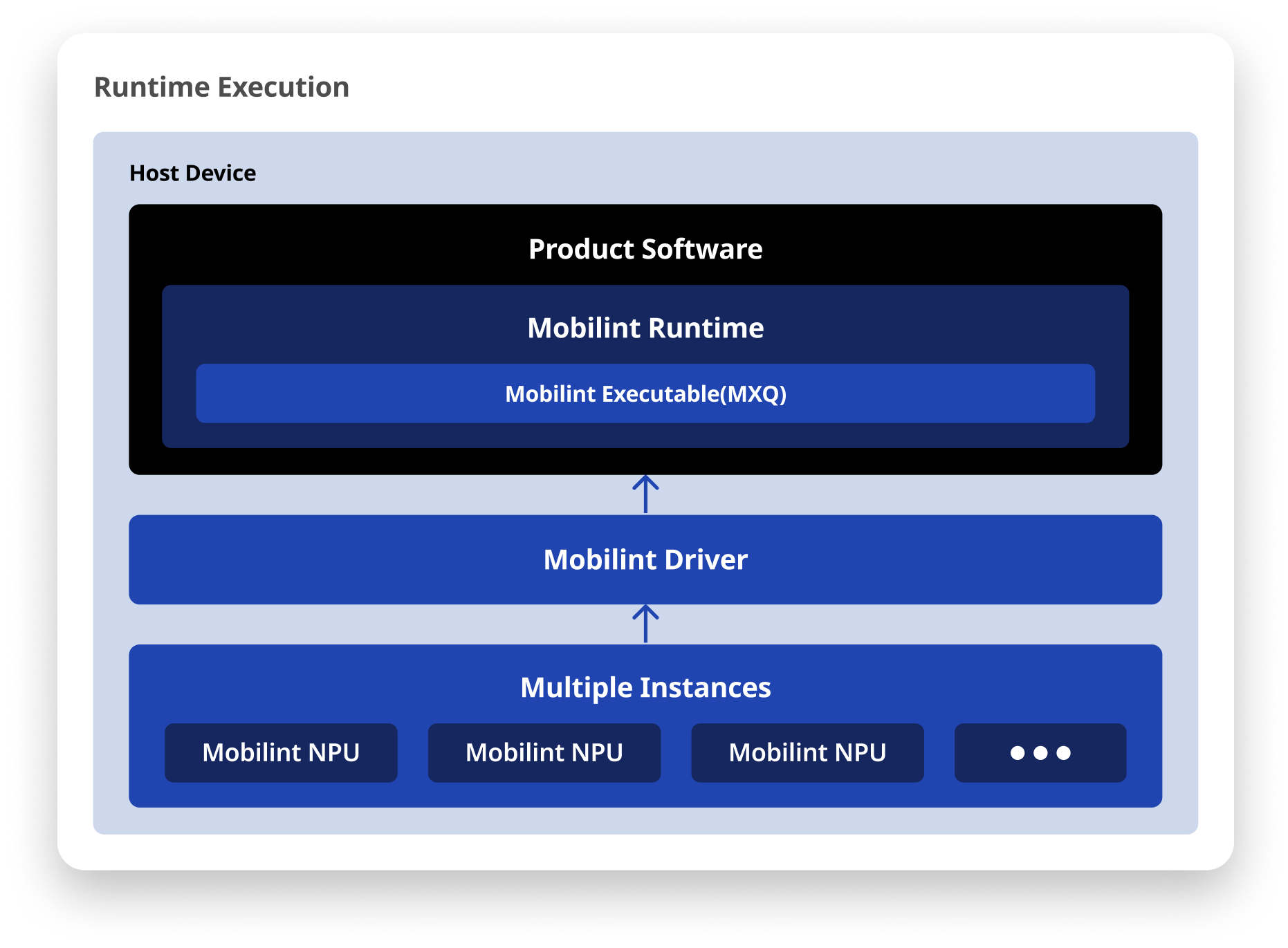
- C++ and Python interfaces: Integrate NPU inference into your application with the runtime library's C++ and Python APIs.
- Linux and Windows support: Deploy on either operating system for easier system integration.
Precompiled Models
Mobilint publishes NPU-ready model files on Hugging Face. Inference code for vision, Transformers, and MeloTTS models is maintained in separate packages.
Get Started
Go from installing the product to maximizing its performance with advanced functions.
Installation
Important
- The installation steps below apply to ARIES-based devices only. Driver, firmware, and hardware setup for ARIES products live in the ARIES manual.
- REGULUS devices ship with the essential SDK stack (driver, runtime library) and utilities pre-installed. Proceed directly to the Tutorials section below.
Install the SDK software required to use an ARIES NPU by following these documents in order.
- Driver Installation (ARIES manual): The kernel driver that exposes the NPU to your operating system.
- Installing Runtime Library: The C++ and Python runtime for loading models and running inference.
- Checking Compatibility: Verify that your runtime and MXQ model versions match.
Note
You need a Download Center account to access and download some files and modules. Please contact contact@mobilint.com for more information.
Optional Setup
These steps are not required for a standard setup — perform them only when needed.
- Firmware Update (ARIES manual): Needed only when the compatibility check reports a device firmware older than the version the SDK requires.
Note
Compiling your own models into MXQ is covered in the separate qb Compiler documentation and is not part of this manual. To run models right away, find available model files and inference packages in the precompiled models guide.
Tutorials
After installing all essential SDK components required for NPU operation, refer to the following tutorials to learn how to successfully run AI inference on a Mobilint NPU.
- Running Pre-Compiled ResNet50: Run your first inference with a ready-made model.
- NPU Programming Guide: The core runtime API and the inference workflow.
Utilities
Explore the utility tools provided by Mobilint. These help you monitor the NPU's status or run tests. If you want to use an open-source pre-trained model off the shelf, visit the Mobilint, Inc. Hugging Face page to check available model files.
- Installing Utility: Install Mobilint's command-line tools.
- Utility Usage: Monitor NPU status and run diagnostics.
- Precompiled models: Model files on Hugging Face and task-specific inference packages.
Advanced
Once you get the hang of the system, follow the Advanced Usage sections to further optimize your NPU usage or refer to the advanced tutorials.
- Advanced Usage: Optimize throughput, batching, and memory.
- Utilizing Multi-Core Modes (ARIES manual): Distribute inference across NPU cores.
Deployment
To deploy NPU workloads on a Kubernetes cluster, install the device plugin so that Pods can request NPUs as a schedulable resource.
- Mobilint Device Plugin: Schedule NPUs as resources on a Kubernetes cluster.
Tip
Have questions or need custom deployment support? Contact us at https://discuss.mobilint.com.